

Here’s my dirty little secret: for every hour I spend recording a podcast episode, I used to spend two more hours turning it into everything else. Transcribing the audio. Rewriting my rambling bits into clean show notes. Summarizing it for the newsletter. Pulling quotes for social posts. Then opening a design tool to build an audiogram. By the time I was done, the episode I’d loved recording felt like homework.
That old workflow — transcribe → rewrite → summarize → design audiogram — is exactly why this castmagic review exists. A month ago I started uploading my recordings to Castmagic (castmagic.io) instead, and honestly, the whole content treadmill changed. I spent the last month turning every episode into show notes, blogs, and social posts with it. Here’s everything I learned — the features, the pricing, the honest cons, and how it stacks up against Descript and Podium.
Quick Answer: Castmagic is an AI repurposing tool that turns one podcast or video recording into a complete content kit — speaker-labeled transcripts, show notes, blog drafts, social posts, tweet threads, clips, and audiograms — from a single upload or link. Plans start at $19/mo (annual billing saves ~30%), and a free trial is available. It’s built for podcasters, creators, and agencies who want more content from every recording — but it’s not a deep audio editor.
What Does It Actually Do?
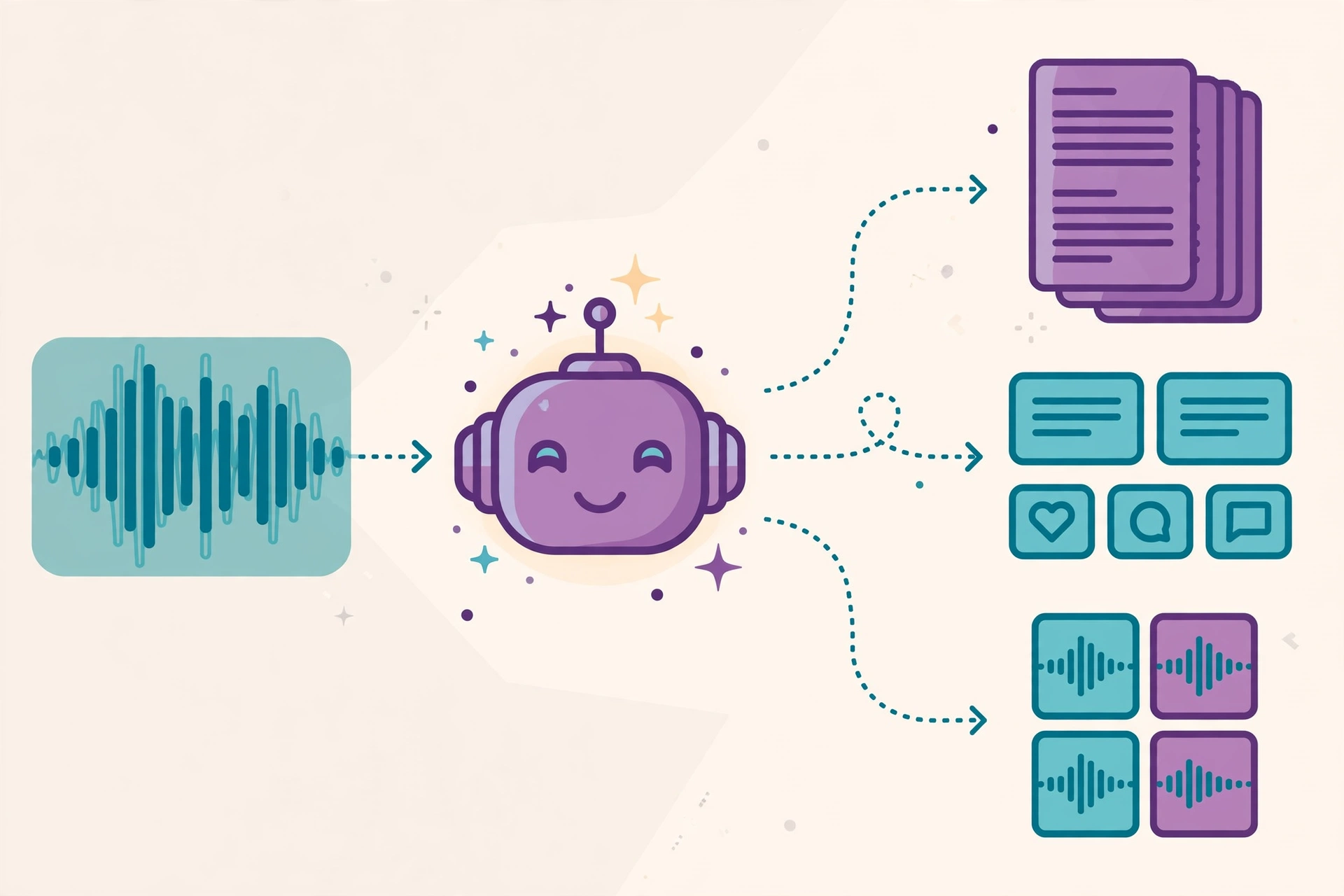
Castmagic is an AI content repurposing platform built around one simple idea: you should only have to create once. Upload a recording — or paste a link — and Castmagic hands you a speaker-labeled transcript plus a stack of ready-to-publish assets: show notes, summaries, newsletters, blog drafts, social posts, tweet threads, FAQs, video clips, and audiograms, all generated from that same file.
The numbers behind it are impressive too. Castmagic reports 75,000+ creators on the platform and 10M+ minutes of content processed. In my month of testing, those numbers felt believable — the platform handled long episodes without choking, and the outputs were genuinely usable, not the generic AI fluff I was expecting.
Key Features
Speaker-Labeled AI Transcription in 60+ Languages
Everything starts with the transcript. Castmagic transcribes your audio with speaker labels and timestamps in 60+ languages, and the accuracy held up well on my episodes — even the ones with cross-talk and filler words. You can edit the transcript directly, which matters because every output (show notes, blogs, clips) is generated from it. For dubbing finished audio into even more languages, see our Vozo AI review.
Upload Anything, Import From Everywhere
You can upload MP3, WAV, M4A, or MP4 files up to 10GB — big enough for long video episodes. Or skip the upload entirely and paste a link: Castmagic imports from YouTube, TikTok, Instagram, Vimeo, Zoom, Google Drive, RSS feeds, and 1,800+ sources. I tested the YouTube import on an old episode and it pulled the audio in minutes. This alone killed my old “download, convert, re-upload” dance.
Magic Chat — Ask Your Recordings Anything
This is the feature I didn’t know I needed. Magic Chat is an AI assistant that answers questions using your recordings as source material. “What did we say about sponsorship pricing in episode 12?” — it answers from your own content, with context. It’s basically a searchable brain for your entire back catalog.
Instant AI Content Outputs
Here’s where the “10x your content” promise lives. From one upload you get instant AI outputs: show notes, summaries, newsletters, blog drafts, social posts, tweet threads, FAQs, video clips, and audiograms. You can edit outputs up to 2,000+ words and regenerate unlimited times until they sound right. My show notes went from a 45-minute chore to a 5-minute review-and-publish job. If video is your main format, our Fliki review covers turning scripts into videos without recording.
Custom Prompts, Brand Voice & Client Workspaces
If the default outputs don’t sound like you, Castmagic lets you write custom prompts and tap a community prompt library for proven templates. There’s also custom brand-voice tuning so outputs match how you actually write, plus client workspaces built for multi-brand and agency work — with user permissions, folders, and custom workflows. Agencies running several shows will feel right at home.
Media Library, MCP & Integrations
The Media Library keeps every recording searchable with semantic search across your whole catalog. Power users get Castmagic MCP, which connects your transcripts to Claude as searchable, citable context. There’s also AI image generation for thumbnails and social cards, plus integrations with Zapier, Google Drive, Zoom, YouTube, TikTok, and Instagram — handy for pushing content straight into your existing workflow.
Pricing
Annual billing saves ~30%, and there’s no free plan published — but a free trial is available. Here’s the breakdown:
- Hobby — $19/mo or $239/yr: 30 transcribed hours, 60+ languages, unlimited AI outputs, clips, and audiograms, 3 spaces, 50GB storage, 3 seats max, no API, standard support.
- Starter — $48/mo or $579/yr: 100 transcribed hours, 10 spaces, 250GB storage, 5 seats, API access, and an onboarding call.
- Team — $139/mo or $1,669/yr: 400 transcribed hours, 25 spaces, 1TB storage, 5 seats included (+$19/mo per extra seat), priority support, API access.
- Business & Scale — from $699/mo (reduced from $999/mo): enterprise tier with custom implementations, volume discounts, SLA, and dedicated support.
You can upgrade or downgrade anytime, and extra transcribed hours are purchasable if you blow past your limit.
Honest take: the Hobby plan at $19/mo is genuinely enough for most solo podcasters — 30 transcribed hours covers a lot of episodes, and unlimited AI outputs is the real value. But $19 is still the cheapest option, which feels steep if you’re a hobby podcaster just starting out, especially with no free plan in sight. The jump to Starter ($48/mo) is significant, so do the math on your monthly hours before committing. Start with the free trial and see how many episodes you actually process.
Castmagic
Supercharge Your Media With AI
Free trial available
Castmagic vs Descript vs Podium
Castmagic isn’t the only tool in this space. Here’s how it compares to two popular alternatives:
| Castmagic | Descript | Podium | |
| Best for | Podcasters & agencies who want maximum content from one recording | Creators who also want to edit the actual audio/video with text-based editing | Social-first podcasters who want auto-generated clips pushed to social |
| Price | From $19/mo (annual billing saves ~30%) | Paid plans available (see vendor pricing) | Paid plans available (see vendor pricing) |
| Key strengths | AI repurposing suite, Magic Chat, 60+ languages, 1,800+ import sources | Text-based audio and video editing | Auto-generated clips pushed to social |
| Learning curve | Easy — upload and go | Moderate — editor-style interface | Easy — automation-first |
Pros and Cons
What I like:
- One upload becomes an entire content kit — show notes, blogs, social posts, clips, and audiograms.
- Speaker-labeled transcription in 60+ languages with timestamps is accurate and editable.
- Magic Chat turns my back catalog into a searchable knowledge base.
- Unlimited regenerations and editable outputs up to 2,000+ words.
- Import from 1,800+ sources (YouTube, TikTok, Zoom, Drive, RSS) — no file juggling.
- Client workspaces with brand-voice tuning make it agency-friendly.
What I don’t like:
- Pricing is steep for hobby podcasters — $19/mo is the cheapest option, billed annually, with no free plan.
- No built-in deep audio editing like Descript — you’ll still need an editor for the actual recording.
- Brand voice needs a setup pass before outputs feel like you — first drafts can sound generic.
How to Get Started
- Sign up for the free trial at castmagic.io — no commitment, just an email.
- Upload an MP3, WAV, M4A, or MP4 file (up to 10GB) — or paste a link from YouTube, TikTok, Instagram, Vimeo, Zoom, Google Drive, or your RSS feed.
- Let Castmagic transcribe your recording with speaker labels and timestamps in 60+ languages.
- Pick from the instant AI outputs — show notes, blog drafts, social posts, clips, audiograms — or write a custom prompt.
- Tune your brand voice, regenerate anything that doesn’t sound like you, and publish.
FAQs
Does Castmagic have a free plan?
No free plan is published, but a free trial is available so you can test the full workflow before paying.
How many languages does Castmagic support?
Castmagic supports 60+ languages, with speaker-labeled transcription and timestamps.
What files and sources can I import?
Upload MP3, WAV, M4A, or MP4 files up to 10GB, or paste a link — Castmagic imports from YouTube, TikTok, Instagram, Vimeo, Zoom, Google Drive, RSS feeds, and 1,800+ sources.
Can I upgrade, downgrade, or buy more hours?
Yes. You can upgrade or downgrade your plan anytime, and extra transcribed hours are purchasable if you exceed your limit.
Is Castmagic good for agencies?
Yes. Client workspaces support multi-brand and agency work with user permissions, folders, and custom workflows, plus custom brand-voice tuning so each client’s outputs sound right.
Castmagic Review: Final Verdict
After a month of using Castmagic on every episode, my old workflow — transcribe → rewrite → summarize → design audiogram — is officially retired. One upload now gives me show notes, a blog draft, social posts, and an audiogram before my coffee goes cold. The pricing isn’t cheap, and it’s not an audio editor, but if your bottleneck is content repurposing rather than recording, it’s the fastest fix I’ve tested.
Who should use it: podcasters, YouTubers, coaches, and agencies who publish regularly and want every recording to work harder. Who should skip it: creators who need deep audio/video editing (Descript is the better fit there) and hobby podcasters on a tight budget who can live with manual show notes. For everyone in between, try the free trial at castmagic.io and run one episode through it — the before-and-after is hard to argue with. If you’d rather skip recording entirely, our Wondercraft AI review covers creating podcasts from text with no microphone.



