

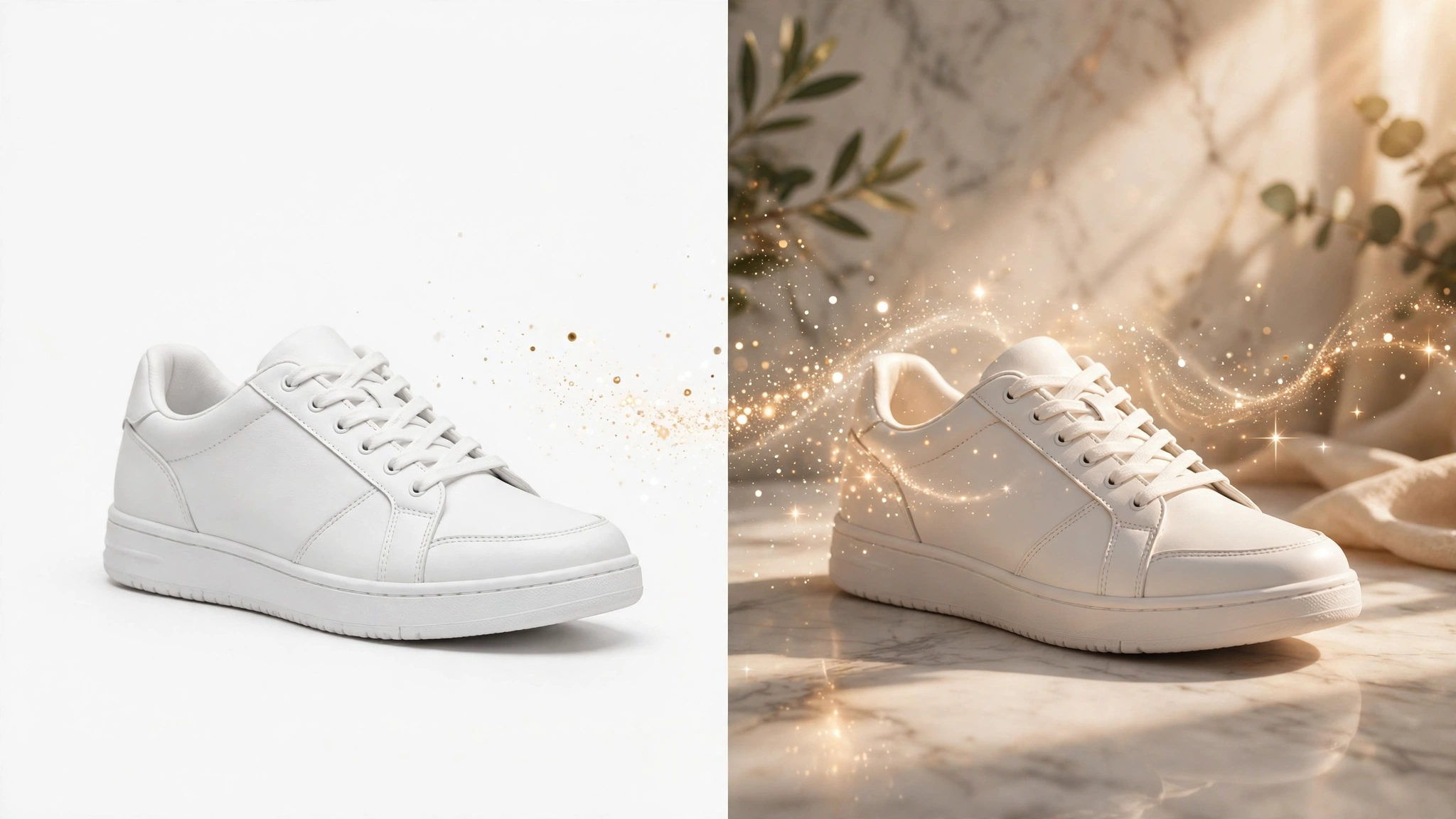
If you sell anything online, you already know that product photos can make or break a listing. Shoppers can’t touch, hold, or try your product, so your images do all the heavy lifting. For this pebblely review 2026, I dug into one of the tools sellers keep mentioning: Pebblely, an AI product photography tool that turns ordinary product snaps into studio-quality lifestyle photos — no photographer, no studio, no lighting kit required.
One honest note: I didn’t personally generate photos inside Pebblely for this review, so I won’t pretend I did. Instead, I researched the official site, the current pricing page, and what real users say. Everything below — features, pricing, pros and cons — is research-based. Here’s what I found.
Quick Answer: Pebblely turns plain product snaps into studio-quality lifestyle photos with AI-generated backgrounds. It’s best for Etsy and Shopify sellers who need pro-looking product photos without a photoshoot. The free plan gives you 40 images per month, and paid plans start at just $9/month.
What Does It Actually Do?
Pebblely is refreshingly simple. You upload an ordinary photo of your product — a quick phone snap on your kitchen table works fine — and the AI places it into a professionally styled scene. You can pick from 40+ curated background themes (that’s the figure on Pebblely’s pricing page; the homepage advertises 100+ starter templates) or simply describe the scene you want in plain words — no photography jargon needed.
The 2026 version has a rebuilt workflow with no separate background-removal or cut-out step. Per Pebblely’s co-founder, it’s now just “upload your product, describe what you want, and get beautiful photos in seconds.” The AI handles the fiddly parts automatically, adding realistic shadows and reflections so the product doesn’t look pasted on.
Key Features
AI Background Generation
This is the core of Pebblely. After uploading your product shot, browse the library of curated background themes or type a custom prompt describing the scene — “marble countertop with soft morning light,” for example. Plain descriptions work; no photography terminology needed.
Automatic Shadows and Reflections
This is the detail that separates decent AI product photos from obvious fakes. Pebblely automatically adds realistic shadows and reflections so your product sits naturally in the scene instead of looking like a floating sticker.
Multi-Product Placement
Selling bundles or sets? Place up to 5 products on a single canvas for group or bundle shots — skincare sets, gift boxes, matching accessories — without physically arranging and re-shooting everything.
Custom Sizes for Every Platform
Pebblely supports the sizes sellers actually need: square for the Instagram feed, portrait, story, landscape, and even Facebook-ad sizes. On paid plans you can export custom sizes up to 2048×2048, which covers most marketplace requirements.
Style Control and Brand Consistency
If you have a brand look to protect, feed Pebblely a reference or style image, or use your brand colors to guide the output. You can also save and reuse backgrounds across shoots, so your whole catalog keeps a consistent visual identity.
Prompt-Based Edits and Bulk Tools
Don’t love the first result? Tweak it with text prompts after generation instead of starting over. Basic and Pro plans add bulk generation and bulk download for bigger catalogs, plus a bulk logo/badge add-on. High-resolution mode costs 2 credits per image instead of the usual 1.

Pricing
I checked Pebblely’s official pricing page before writing this — and you should always verify pricing yourself, since these things change. Here’s the current lineup:
- Free — $0/month: 40 images per month at 1024×1024. No credit card required. A genuinely usable free tier, not a teaser.
- Lite — $9/month: 30 standard images per month, 40+ background themes, and custom prompts. The cheapest paid entry point.
- Basic — $19/month: 200 images per month, plus custom sizes up to 2048×2048, reference images, multi-product placement, prompt-based edits, reusable backgrounds, bulk generation, logo/badge add-on, and unlimited storage.
- Pro — $39/month: 500 images per month with all Basic features. The best value if you’re generating at volume.
How credits work: 1 standard image costs 1 credit, and high-resolution mode costs 2 credits per image — so budget accordingly if you want maximum quality on everything.
Honest take: The free plan is the star of the show — 40 images a month at zero cost is genuinely generous, and enough for a small Etsy shop to test the waters. But notice the math once you pay: Lite gives you 30 images for $9 (about $0.30 per image), a worse per-image deal than the free plan suggests. Paid plans only make sense if you need what the free plan withholds: higher resolutions, multi-product shots, bulk tools, and bigger volumes.
Pebblely
Turn plain product snaps into studio-quality lifestyle photos in seconds — no photoshoot required.
Free plan available — 40 images/month, no credit card required.
Pebblely vs Photoroom vs Flair AI
Pebblely isn’t the only AI product photo tool out there. Here’s how it stacks up against two popular alternatives, based on their current positioning:
| Pebblely | Photoroom | Flair AI | |
|---|---|---|---|
| Best for | Etsy/Shopify sellers who need studio-style product photos without a photoshoot | Quick mobile edits and on-the-go background removal | Styled, fashion-shoot-style scenes with an art-directed look |
| Price | Free (40 images/mo); paid from $9/mo | Free (250 exports/mo); Pro $9.99/mo; Business $29.99/mo | Free tier; paid from ~$25/mo |
| Key strengths | Prompt-based AI backgrounds, 40+ background themes, multi-product placement, automatic shadows and reflections | 1,000+ marketplace templates, mobile-first editor, batch background removal | Drag-and-drop scene builder, real-time team collaboration |
| Learning curve | Easy — describe the scene in plain words | Very easy — template-driven mobile app | Moderate — more control means more setup |
Pros and Cons
What I like:
- A genuinely generous free plan — 40 images a month with no credit card required.
- No photography jargon needed; plain-word prompts work.
- Automatic shadows and reflections make results look believable.
- Multi-product placement (up to 5 products) is great for bundle shots.
- Custom sizes up to 2048×2048 cover every major marketplace.
- You own the photos you generate, per the official FAQ.
What I don’t like:
- The per-image cost on paid plans is higher than the free plan’s value per image suggests — Lite works out to about $0.30 per image.
- Higher resolutions and multi-product shots require a paid plan.
- AI-generated shadows and props can occasionally look artificial in complex scenes.
- The AI photo-generator space is crowded, with cheaper and free alternatives like Photoroom.
How to Get Started
- Create a free account at pebblely.com — no credit card needed for the free plan.
- Upload a product photo. A clean phone snap on a plain surface works fine; there’s no separate background-removal step.
- Pick a theme or describe your scene. Browse the background themes or type a plain-word description of the setting you want.
- Generate and refine. Review the results and tweak them with follow-up text prompts if needed.
- Download and list. Export at the size your marketplace needs — and upgrade to a paid plan only if you need higher resolutions, multi-product shots, or bulk tools.
FAQs
Is Pebblely really free?
Yes. Pebblely’s free plan includes 40 images per month at 1024×1024, with no credit card required. Paid plans start at $9/month.
Do I own the photos I generate with Pebblely?
Yes. Per Pebblely’s official FAQ, “you own the photos you generate” — use them in listings, ads, and marketing.
How many products can I put in one Pebblely image?
Up to 5 products on a single canvas — handy for bundle and group shots. Note that multi-product placement is a paid-plan feature.
What image sizes does Pebblely support?
Square, portrait, story, landscape, and Facebook-ad sizes. Paid plans unlock custom sizes up to 2048×2048; high-resolution mode costs 2 credits per image.
Is Pebblely better than Photoroom?
It depends. Pebblely is stronger for generating full AI-styled product scenes from a description; Photoroom is better for quick mobile edits and batch background removal with 1,000+ templates.
Final Verdict: My Pebblely Review 2026 Take
After digging through everything Pebblely offers, here’s my bottom line: it’s one of the most seller-friendly AI product photography tools out there in 2026, mainly because the free plan is genuinely usable and the workflow is dead simple. If you’re an Etsy or Shopify seller, a small brand, or anyone who needs professional-looking product photos on a budget, Pebblely is absolutely worth trying — the free tier costs you nothing but a few minutes.
Who shouldn’t use it? If you need ultra-high-end commercial retouching, shoot complex products where AI props can look off, or already have a photography setup that works, you won’t get much from it. And if you need quick background removal on your phone rather than full styled scenes, Photoroom might suit you better. Related: if you like the idea of AI photos without a studio but need headshots instead of products, see my BetterPic review — and for turning product photos into social content, my Predis AI review.



